Facebook Page Inbox: How to Manage Messages Without Missing Any
11/16/2026

Your Facebook Page inbox is where customers ask about price, delivery and stock. When messages pile up or sit unanswered, those customers move on to someone else. A well-organized Facebook Page inbox helps you answer faster, miss fewer messages and keep your team on the same page.
This guide explains how the Facebook Page inbox works, the problems that appear as your Page grows, and simple ways to manage messages without stress.
How the Facebook Page inbox works
Every Facebook Page has an inbox for Messenger conversations. Page owners can read and reply from Facebook itself or from Meta's free tool, Meta Business Suite. For a small Page with a few messages a day, this is often enough.
Problems start when more people write to you, when more than one person replies, or when you run several Pages. Then the basic inbox becomes slow and easy to lose track of.

Common problems with a busy Facebook Page inbox
Missed messages. A customer writes at night and the message is buried by morning.
Slow replies. People expect an answer in minutes, not hours, especially when they are ready to buy.
Double replies. Two teammates answer the same customer because nobody can see who is handling it.
Repeated questions. You type the same answer about price, address or delivery again and again.
No clear owner. A conversation sits open and nobody knows whose job it is.
Each of these costs you sales or trust. The good news is that most of them have simple fixes.
Simple habits for a better Facebook Page inbox
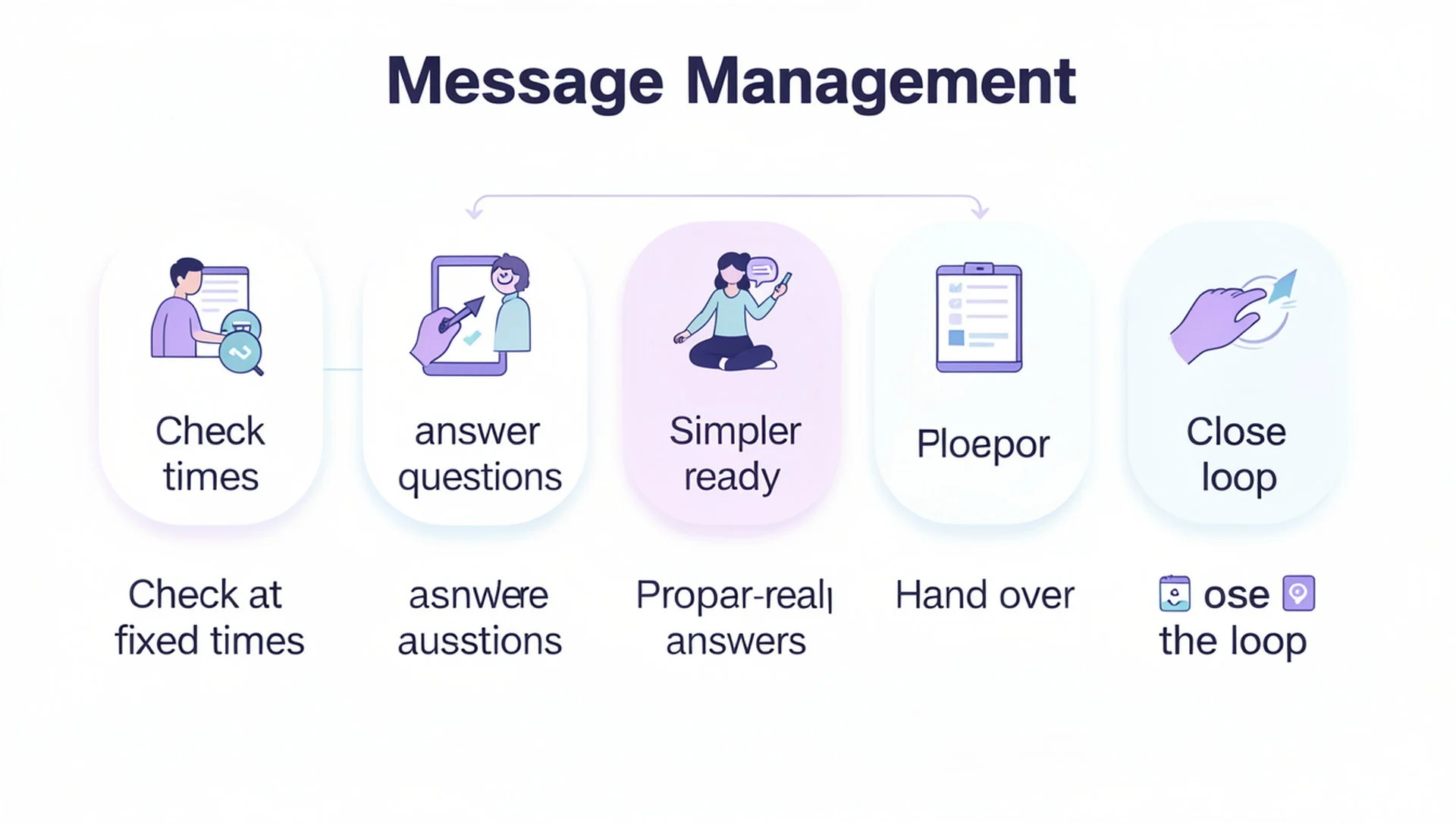
You do not need a complicated system. Start with these five habits:
Check at fixed times. Open the inbox in the morning, midday and evening instead of all day.
Answer the simple questions first. Quick replies keep customers happy while you handle harder ones.
Write ready answers. Keep short answers for price, location, hours and delivery so you can reply in seconds.
Hand over clearly. If someone else should reply, pass the conversation to them instead of answering twice.
Close the loop. Make sure every conversation ends with an answer or a clear next step.
If you want automatic answers for routine questions, read our practical guide to Facebook Messenger auto reply before switching anything on.
What to look for in a shared Facebook Page inbox tool
When your inbox grows, a tool built for it can save hours every week. Look for these features:
One shared inbox. All Page messages in a single list, with the Page name shown clearly.
Team access. Several people can work together, and each conversation can be assigned to the right person.
Automatic replies. Instant answers for routine questions, with a way for a person to take over.
Language support. If your customers write in Bangla, replies should work in Bangla too.
Multi-Page support. If you run more than one Page, you need to see them all in one place.
If you manage many Pages, our guide to a social media management tool for multiple pages goes deeper. For the wider picture, see the guide to choosing a Facebook Page management tool.
Mistakes to avoid
Automating every reply, including complaints that need a real person
Letting several people answer from different places with no shared view
Ignoring messages outside business hours with no automatic first answer
Replying to every message in the same copied style, which feels cold
A friendly, quick answer from a real person still beats a perfect answer that arrives a day late.
How Inbylo handles your Facebook Page inbox
Inbylo is built for Facebook Page owners, small businesses and agencies. Today it focuses on Facebook Pages.
The unified inbox brings your Page's Messenger conversations into one place.
AI auto reply answers common questions in Bangla and English.
Team collaboration lets you share the workspace and assign conversations to teammates.
Multiple client workspaces keep each business separate if you run more than one.
You can start on the free plan, which covers 1 Facebook Page, and move up only when you need more. See the plans and pricing for details.
Frequently asked questions
Where is my Facebook Page inbox?
You can open it from your Facebook Page, or from Meta Business Suite. A tool such as Inbylo can also show the same conversations in one shared place after you connect your Page.
Can several people use one Facebook Page inbox?
Yes, if each person has access to the Page. A team tool makes this easier because you can see who is handling each conversation and avoid answering twice.
Is it safe to connect my Page inbox to a tool?
Connect only through Facebook's official login and permissions screen, and give access only to the Pages you want to manage. You can remove access at any time from your Facebook settings.
Can I reply automatically when I am offline?
Yes. Automatic replies can answer routine questions at night or on holidays. Keep complaints and complex questions for a real person.
The best Facebook Page inbox setup is simple: check it at fixed times, answer fast, and make sure every conversation has one clear owner.